
Dreamweaver CS3 Spry (AJAX) Tutorial
An exciting new feature in Dreamweaver CS3 is the easy insersion of AJAX components called Spry. View Demo
If you are a beginner you might be interested in the Dreamweaver CS3 Tutorial.
- To insert a Spry object simply go to Insert > Spry >
- Select the option of choice
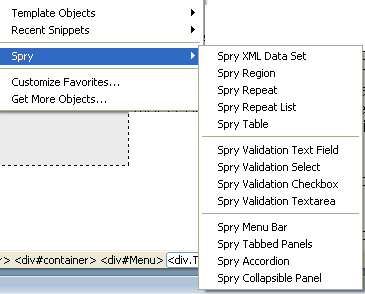
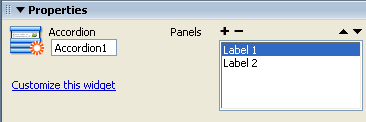
- Customize the Spry object in the Properties Panel
- When you save the page Dreamweaver will automatically add some javascript and css files in a folder called "SpryAssets" within your site. These will also need to be uploaded to your hosting server when you make the page live.
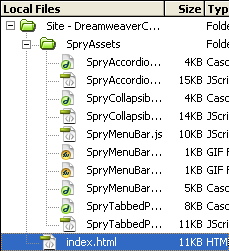
- To change the colors you will need to edit the relevant css style in the relevant css stylesheet.
Try out the Spry Menu Bar (which you can use for your menu - horizontal or vertical), Tabbed Panel, Accordian and Collapsible Panel for some cool functionality in your website.
Spry Menu Bar
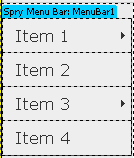
To get the Spry Properties, select the blue highlighted name of the spry (see image above) and check the Properties Panel, then customise the Spry properties.
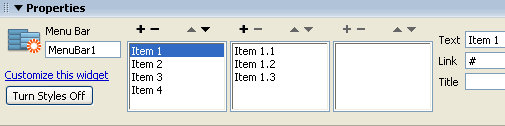
Click the + and - signs to add and delete menu items at each level (1st box has main menu items, 2nd box as submenu items etc.)
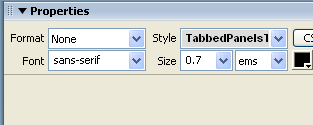
Spry Tabbed Panels

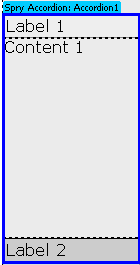
Spry Accordian
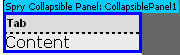
Spry Collapsible Panel

Check out the result in your browser - it is really cool!!
Dreamweaver CS3 Tutorial for Beginners
Step 1: Define a new site in Dreamweaver
Step 2: Create a Dreamweaver TemplateStep 3: Create the Page Layout in the Dreamweaver Template
Step 4: Create the CSS Style Sheet
Step 5: Insert Common Elements into the Dreamweaver Template:Text & Images
Step 6: Create Libraries or Server Side Includes
Step 7: Define the Editable Regions of the Template
Step 8: Create the HTML Pages of the Site with Content/ Forms
Step 9: Link the Pages
Step 10: Test the Site Locally and Upload Online to the Hosting ServerProject 1: Table Based Layout Website
Project 2: DIV/ CSS/ Tableless Layout Based Website
Project 3 : Website with Server Side Includes
Suggestions for Improvement? If you have a suggestion to improve this tutorial please contact us. We would love to hear from you.
Dreamweaver is part of Creative Suite 3 Web Standard
Streamline web design, development, and maintenance. Order Now!